Reddit AutoModerator (automod) is a built-in tool that checks every new post and comment in a subreddit against rules the moderators write, then acts on the matches. It can tag posts with flair, reply with a helpful comment, alert the mod team, or hold and remove content. You set it up by writing short rules on a wiki page called config/automoderator.
There's a catch for brands in 2026. Reddit now says that new communities, and communities that have never used automod, can't use its removal and approval actions. They get Rules Hub, Post and Comment Guidance and safety filters instead. This guide covers how AutoModerator works, a starter setup for a brand subreddit, and what to use if your community is new.
Key takeaways
- AutoModerator rules are pairs of checks ("if the title contains X") and actions ("set flair Y"). They only run on new posts, comments, reports and edits.
- In the second half of 2025, mods' automated tools such as AutoModerator handled 68.6% of all mod removals on Reddit, according to Reddit's transparency report.
- As of October 2026, new subreddits can't use automod's Report, Filter, Remove, Mark as spam or Approve actions. Flair, comments and mod mail alerts still work.
- New brand subreddits should use community settings, safety filters, Rules Hub and Post and Comment Guidance for enforcement.
- Never use automod to pin a promotional comment on every post. Reddit's Moderator Code of Conduct names that as a violation.

What is Reddit AutoModerator?
AutoModerator is a moderation tool built into Reddit. Reddit's AutoModerator help page describes it as a system that lets moderators define "rules" made of checks and actions, which are then applied automatically to posts in their community.
It isn't a separate bot you have to invite. You don't need to add the u/AutoModerator account to your mod team for it to moderate. Reddit only adds that account when you set up scheduled posts that post as automod.
Mods lean on it heavily. Reddit's July to December 2025 transparency report says mod removals were 40.7% of all content removed on Reddit, and 68.6% of those mod removals were handled by automated systems such as AutoModerator. Multiply the two and you get our estimate: about 28% of everything removed on Reddit in that period was taken down by moderators' automated tools, not by a person reading it.
That matters to a brand in two ways. If you post in other communities, automod is often the first "moderator" your post meets. If you run your own subreddit, it's one of the main ways a small team keeps up.
What AutoModerator can and can't do
Reddit's help page lists what automod can do once it's set up:
- Send mod mail alerts to flag possible problems
- Reply to posts with helpful comments, such as a link to the rules or wiki
- Sticky (pin) its own comments
- Remove posts or set their flair based on a domain or keyword
- Remove links to sites that don't fit the community, such as affiliate links
- Filter content for a mod to review
- Require comments to include certain words
- Spot likely spammers or low-quality contributors
The same page lists what it can't do. It can't see or flag duplicate content. It can't act on old content, only on new posts, comments, reports and edits. It can't delay an action. And it can't react to changes in karma, flair or a user's history after the fact.
The 2026 change: new subreddits can't use automod removals
If you created your subreddit recently, AutoModerator probably can't remove anything for you. Reddit's AutoModerator page, basic rules guide and full documentation now all carry the same note: for newly created communities, or communities where automod hasn't been used, its enforcement actions "will no longer be available." Those are Report, Filter, Remove, Mark as spam and Approve. Reddit points those communities to its Rules and Automations tools instead.
This follows Reddit's August 5, 2026 launch of Rules Hub. The Next Web reported that Rules Hub uses large language models to judge whether posts and comments match the intent of a community rule, that it was tested in over 700 communities, and that it would be available to all newly created communities. It also reported that Reddit won't change existing communities' enforcement workflows until the replacements are tested and proven with moderators.
IBTimes UK quoted Reddit CEO Steve Huffman describing the old tool as "hard to learn, hard to maintain, and heavily dependent on brittle keyword matching." The same report said a wider rollout was planned for later in 2026.
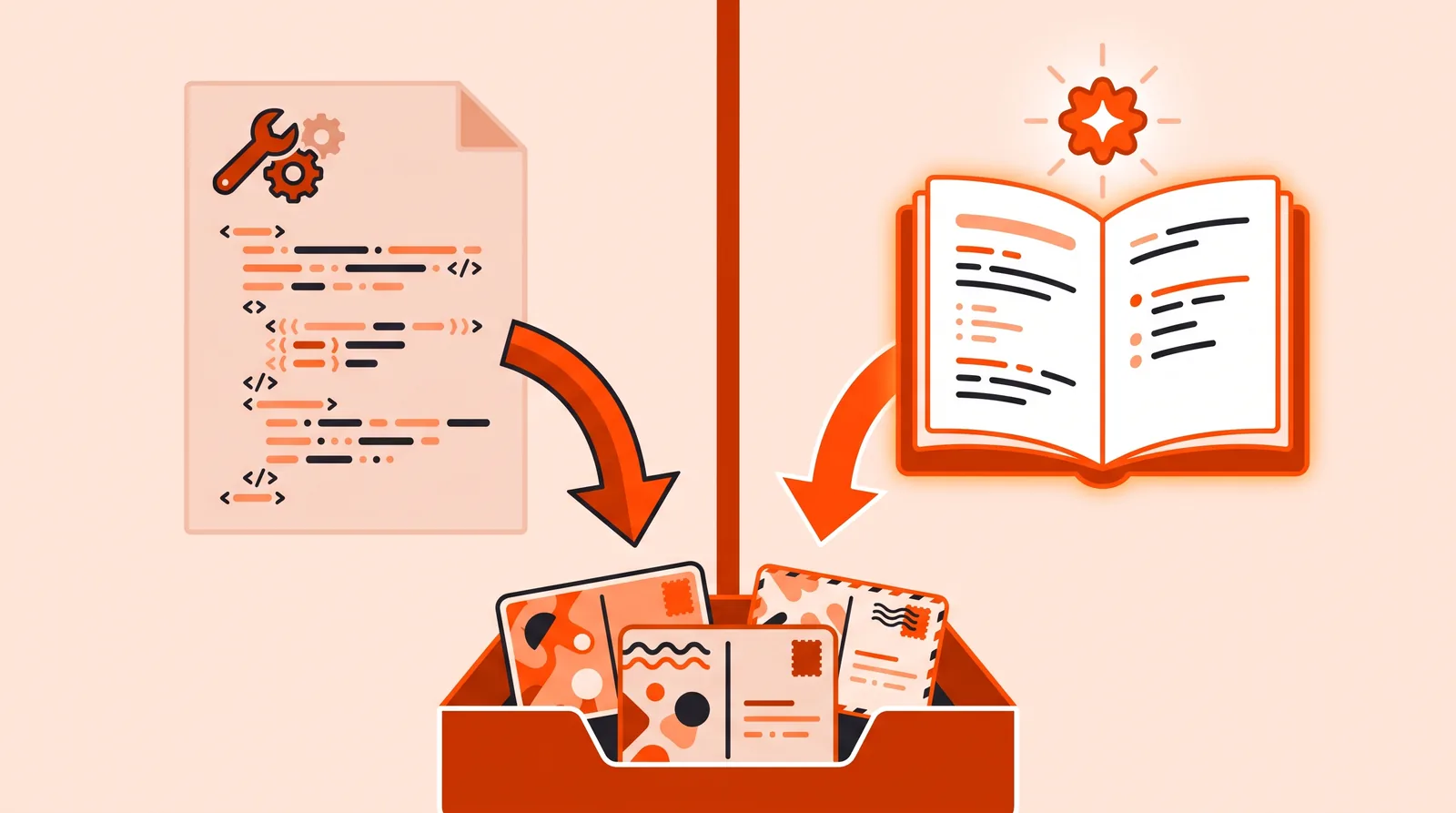 Existing communities keep their automod rules. New communities enforce rules through Rules Hub and Automations.
Here's what that means in practice, as of October 2026:
| Your situation | Automod flair, comments, mod mail | Automod remove, filter, report, approve | What to use for enforcement |
|---|---|---|---|
| Community already uses automod | ✓ | ✓ | Automod, plus the newer tools if you want them |
| New community, or automod never used | ✓ | ✗ | Rules Hub, Post and Comment Guidance, safety filters, community settings |
Source: Reddit Help Center AutoModerator pages, checked October 29, 2026. Reddit hasn't published a date for changing existing communities.
To check which group you're in, open your automod page (steps below). If it already has rules and your community has been using them, you're in the first row. If it says "config/automoderator" doesn't exist, plan on the second.
How an AutoModerator rule works
Every AutoModerator rule has two parts: checks, the conditions a post or comment must meet, and actions, what happens when it does. Rules are written in YAML, a plain-text format where each line is a name, a colon and a value.
Here is the simplest rule from Reddit's basic rules guide. It sets the flair on any post with "red", "green" or "blue" in its title:
title: [red, green, blue]
set_flair: Primary Color
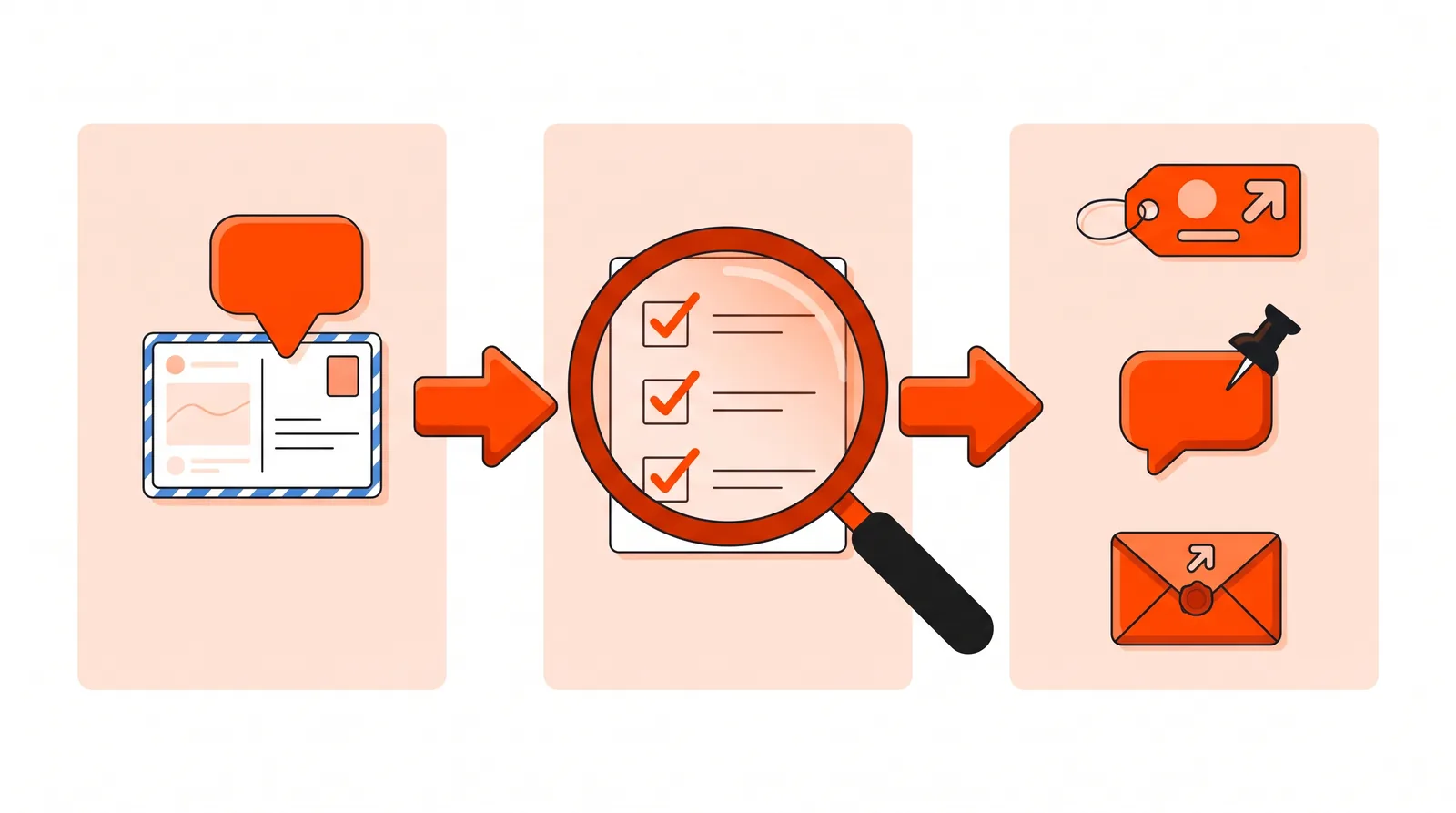 A rule checks each new post or comment, then takes one or more actions on the matches.
A few behaviors from Reddit's documentation trip up almost every new mod team:
- Every check must match. If a rule checks the title and the domain, both must be true. To act on either one, write two rules.
- Rules are separated by
---. Three hyphens on their own line, with no spaces before them. - Removal rules run first. Rules with a remove, spam or filter action are checked before all other rules.
- Mods are exempt by default. Rules that can remove or report content skip moderators' own posts. So if you test a removal rule from a mod account, it won't fire.
- Automod won't overrule a human. It won't remove a post another mod approved, or approve one a mod removed.
- A tilde reverses a check.
~domain: [youtube.com, youtu.be]means "the link is not to YouTube." - Quote anything unusual. The docs warn that unquoted values like
yes,no,onandoffcan be read as true or false, so wrap text in quotes when in doubt.
Common checks and actions
These are the pieces brand teams use most, taken from Reddit's full AutoModerator documentation:
| Piece | Type | What it does |
|---|---|---|
type |
Check | Limits the rule to comments, submissions, link posts, text posts and so on |
title, body, body+title |
Check | Looks for words or phrases in the post |
domain |
Check | Matches a link's domain or any subdomain of it |
author: with account_age, combined_karma, combined_subreddit_karma |
Check | Looks at the poster's account age or karma, sitewide or in your community |
contributor_quality |
Check | Uses Reddit's Contributor Quality Score (CQS) tiers |
standard |
Check | Pulls in a list Reddit maintains, such as amazon affiliate links |
action |
Action | approve, remove, spam, filter or report (filter removes but keeps it in the mod queue) |
action_reason |
Action | A note that shows in the moderation log |
set_flair |
Action | Tags the post with flair |
comment, comment_stickied |
Action | Replies to the post and can pin that reply |
modmail |
Action | Sends your team a mod mail with a link to the item |
Messages can include placeholders such as {{author}}, {{title}} and {{permalink}}, which automod fills in.
How to set up AutoModerator, step by step
AutoModerator setup only works on reddit.com on a desktop browser, not in the Reddit app. You also need the config and wiki permissions on your mod team.
- Check your permissions. Open your community's moderator list and confirm you have config and wiki permissions (moderator permissions).
- Open the automod page. In Mod Tools, go to the Moderation section and select Automod. On old Reddit, the page is
old.reddit.com/r/yoursubreddit/wiki/config/automoderator. - Create the page if needed. If you see
"config/automoderator" doesn't exist, click Create Page. - Paste your rules. Start small, with two or three rules you understand. Separate each with
---. - Save and test. Post from a non-mod account, because mods skip removal and report rules by default.
- Watch the moderation log. Removals and approvals by automod show up there like any other mod's. Flair changes and its own distinguished comments don't.
- Roll back if something breaks. Use Version History (or the history tab on old Reddit) to restore an earlier version. To switch automod off, delete everything on the page and save.
If your community is new, steps 1 to 4 still work for flair, comments and mod mail. Removal rules won't run.
A starter AutoModerator config for a brand subreddit
The rules below are written for an official brand community, such as an owners' group for a bike, mattress or appliance brand. They use only checks and actions from Reddit's documentation. Swap in your own words, domains and links. Lines that start with # are notes automod ignores.
Part 1: rules that work in every community
These don't remove anything, so they work even if your subreddit is new.
# Tag support questions so owners and staff can find them
type: submission
title: ["warranty", "broken", "error code", "won't turn on", "refund"]
set_flair: "Support"
comment: |
    Thanks for posting. If this is about an order or a repair,
    our support team can look up your details privately.
    Please don't share your order number or address here.
comment_stickied: true
---
# Alert the mod team when a post may need a staff reply
type: submission
title: ["recall", "fire", "injury", "lawsuit"]
modmail_subject: "Check this post: {{title}}"
modmail: "Posted by /u/{{author}}: {{permalink}}"
The first rule helps buyers, not your marketing. It tags support posts and tells people not to post private details. The second makes sure safety and legal topics reach a person fast, so no one at the brand is the last to know.
Part 2: enforcement rules (only if your community already uses automod)
# Hold link posts from brand-new or low-karma accounts for review
type: link submission
author:
    account_age: "< 7 days"
    combined_subreddit_karma: "< 5"
    satisfy_any_threshold: true
action: filter
action_reason: "New account link post"
---
# Hold comments with Amazon affiliate tags
type: comment
standard: amazon affiliate links
action: filter
action_reason: "Affiliate link"
---
# Hold posts from accounts with a low Contributor Quality Score
type: submission
author:
    contributor_quality: "< moderate"
action: filter
action_reason: "CQS filter"
Each rule uses filter, not remove. Filter takes the item down but keeps it in your mod queue, so a person makes the final call. That matters in a brand community, where a wrongly removed complaint looks like a cover-up. The satisfy_any_threshold: true line means either a young account or low community karma is enough to trigger the first rule. Without it, both would have to be true.
Reddit's CQS help page explains the score tiers if you want to tune the last rule. If you're a brand posting in other communities, our guide to how Reddit karma works shows these checks from the other side.
What to use if your subreddit is new
New brand subreddits get their enforcement from four other tools. Each covers part of what automod used to do.
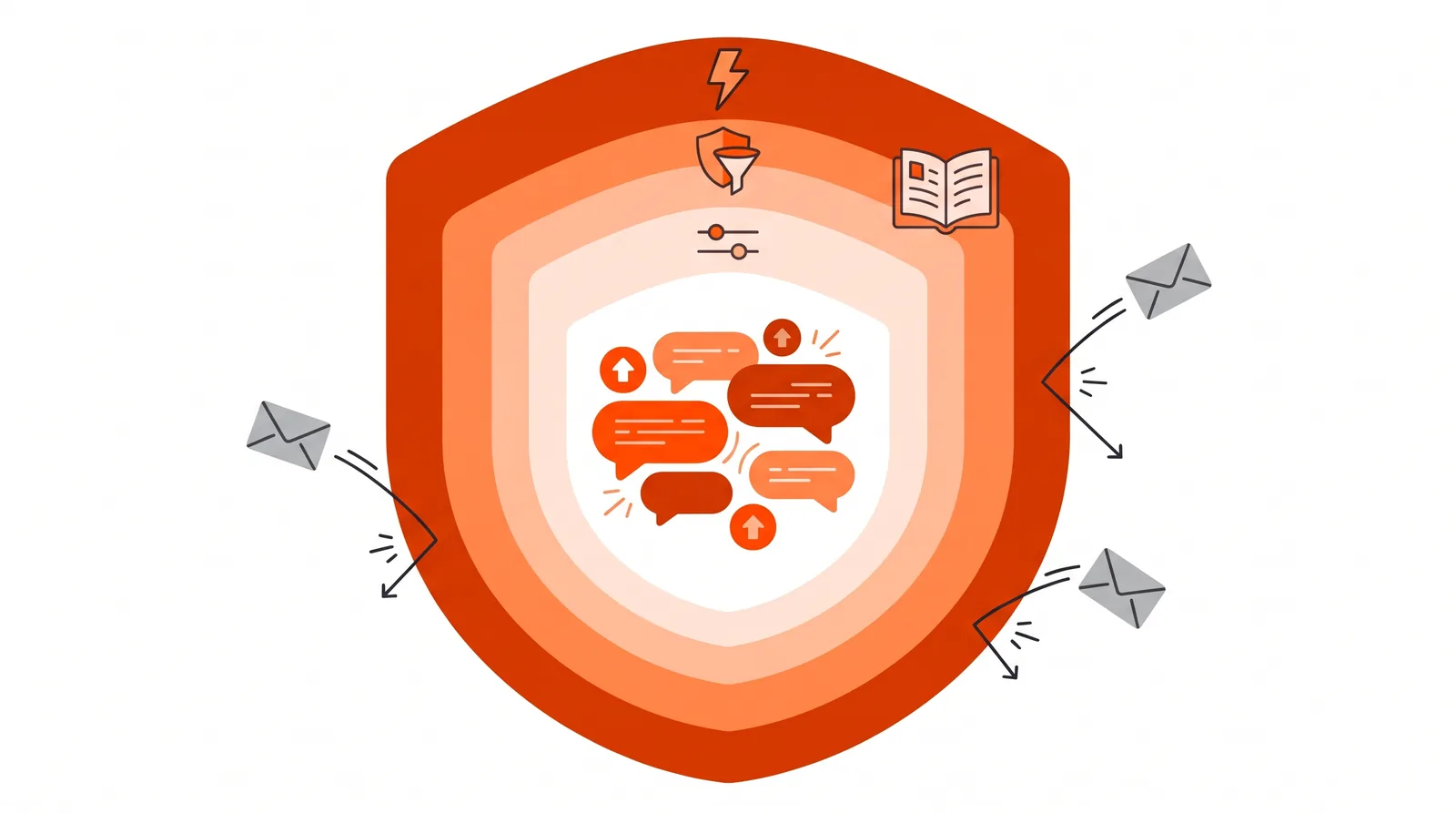 Settings, safety filters, Rules Hub and Automations each block a different kind of problem.
1. Community settings. Reddit's community settings page lets you set title length limits, require or ban words in titles and bodies, add regex requirements, limit which domains can be posted and how often, require post flair, and hold posts, comments or links for review. Many old automod rules were doing exactly this.
2. Safety filters. Reddit's spam guide for mods lists reputation filtering (based on sitewide signals), Crowd Control (based on trust within your community), ban evasion filtering and harassment filtering. These replace most account-age and karma rules, which Rules Hub can't handle.
3. Rules Hub. On newly created public and restricted communities, Reddit's Rules page says an LLM can auto-enforce some rules. For each eligible rule you pick an action: Report (the default), Remove for review (the same as automod's filter), Remove, or Only show guidance. You can test rules against posts and see 7-day and 30-day insights. Reddit says it struggles with formatting rules, user attributes like karma or account age, rules that depend on mod judgment, and "only if both are true" conditions.
4. Post and Comment Guidance (Automations). Reddit's Automations guide shows how to warn people while they type. You set keyword, regex or link conditions, then choose Inform, Report or Block. You get up to 2,000 keyword phrases of up to 100 characters each, or up to 20,000 characters of regex. Guidance doesn't trigger for moderators.
Which tool to use for common brand subreddit jobs
This table maps the jobs brand teams most often hand to automod onto the tool a new community should use instead. It's our synthesis of the Reddit Help Center pages linked above, as of October 2026.
| Job | Existing community with automod | New community |
|---|---|---|
| Block competitor referral or affiliate links | standard: amazon affiliate links or a domain rule with filter |
Link restrictions in community settings, or a Block guidance on those domains |
| Hold posts from new or low-karma accounts | account_age / karma checks with filter |
Reputation filter and Crowd Control |
| Make people name their product model in support posts | ~body check with a comment |
"Missing" condition in Post Guidance with Inform |
| Keep posts on topic | Keyword rules | Rules Hub with Report or Remove for review |
| Tag posts by type | set_flair on keywords |
Automod set_flair still works, or require post flair |
| Warn people not to share personal info | Regex rule with a comment | Reddit's built-in PII reminder in Comment Guidance |
| Alert staff to safety or legal posts | modmail rule |
Automod modmail still works |
If you're still setting up the community itself, start with our guide to creating a subreddit for your brand and use the subreddit rules checklist to write rules that Rules Hub can enforce.
Rules every brand should follow when automating moderation
Automation doesn't change what a brand may do as a moderator. Reddit's Moderator Code of Conduct still applies, and brand communities get extra scrutiny.
- Don't use automod to advertise. Rule 1 of the Code of Conduct lists "using automoderator to leave a pinned comment containing spam on all posts" as a violation. A sticky reply should help the poster, not sell to them.
- Label the community honestly. Rule 2 says a community about a company should say in its description whether it's official. Your brand team moderates in the open, from disclosed accounts.
- Don't auto-remove criticism. Filtering keywords like "refund" or "broken" to hide complaints breaks owners' trust, and they'll take the complaint to a bigger subreddit instead. Route complaints to support with flair and a comment.
- Write rules people can see. Put each rule in your Rules list too, so members know what an automated removal was for. Our guide on working with Reddit moderators covers the rest of the Code.
Common mistakes and how to fix them
| Problem | Likely cause | Fix |
|---|---|---|
| A removal rule never fires | You tested from a mod account | Test from a regular account, or set moderators_exempt: false |
| A rule only catches some cases | Two checks in one rule, so both had to match | Split it into two rules separated by --- |
| One domain is ignored | The same check is written twice, so the second overwrites the first | Put both values in one list: domain: [a.com, b.com] |
| Page won't save, or a value acts oddly | YAML syntax, such as an unquoted yes or a regex in double quotes |
Quote values; use single quotes for regex |
| Nothing is removed in a new subreddit | Enforcement actions aren't available in new communities | Use Rules Hub, Automations and safety filters |
| Old spam is still up | Automod only checks new items | Clean up by hand from the mod queue |
If a post of yours was removed in someone else's community, see why Reddit posts get removed for how to tell automod from a human mod.
Example scenario: an e-bike brand launches an owners' subreddit This is an illustrative example, not a real client.
The situation: A mid-size e-bike brand with a three-person support team creates an official owners' subreddit in October 2026. Owners already ask setup and battery questions in large cycling communities, and the brand wants one place to answer them. Because the community is new, automod removals aren't available.
What they do: They label the community as official and moderate from disclosed staff accounts. In community settings they require post flair and limit link posts to a short list of domains. They turn on the reputation filter and Crowd Control. They add four plain-language rules in Rules Hub, each set to Report so a person decides. They use Post Guidance to remind people not to post order numbers. In automod they add only Part 1 from this guide: flair and a pinned support reply, plus a mod mail alert for safety words.
The likely outcome: Most routine sorting happens without a person. Reddit's own data shows automated tools handle about two-thirds of mod removals sitewide, so a small team can expect automation to carry much of the load. Because nothing is auto-removed for keywords like "broken," complaints stay visible and get answered, which is what a buyer reading the thread wants to see.
Conclusion
Reddit AutoModerator is still the fastest way to sort, tag and route content in a subreddit that already uses it. Learn the checks-plus-actions pattern, use filter instead of remove, and test from a non-mod account. If your brand subreddit is new, don't fight the change. Use automod for flair, replies and alerts, and build enforcement from community settings, safety filters, Rules Hub and Post Guidance.
Either way, set up the tools to help owners get answers, not to hide criticism or push promotions.
FAQs
Is Reddit getting rid of AutoModerator?
Not entirely. As of October 2026, new communities and communities that never used automod can't use its Report, Filter, Remove, Mark as spam or Approve actions, but its other features still work. Reddit has said it won't change existing communities' enforcement until its replacement tools are proven with moderators.
Do I need to add u/AutoModerator as a moderator?
No. Reddit's help page says you don't need to add the account to use automod for moderation. Reddit adds it to your mod team only if you set up scheduled posts that post as automod.
Can I set up AutoModerator on my phone?
Reddit says automod setup is only available on reddit.com on desktop, not in the Reddit app. In a pinch, you can open your phone's browser in desktop mode.
Is AutoModerator AI?
No. AutoModerator matches the words, domains and account details you list in its rules. Rules Hub, which Reddit launched in August 2026, is the tool that uses a large language model to judge whether content fits a rule's intent.
Can AutoModerator check karma and account age?
Yes, in communities where its enforcement actions are available. Author checks include account age, sitewide karma, karma in your community and Contributor Quality Score. Rules Hub can't use these, so new communities should use the reputation filter and Crowd Control instead.
Why did AutoModerator remove my post?
Usually because your account was too new, your karma in that community was too low, or your post had a link or word the mods block. Read the community's rules, then message the mods if you think it was a mistake.